
CRM for Contractors: What to Look For and Why Most Fail
A CRM that isn't configured for your actual sales cycle is just an expensive contact list. Here's what a properly built contractor pipeline actually looks like.
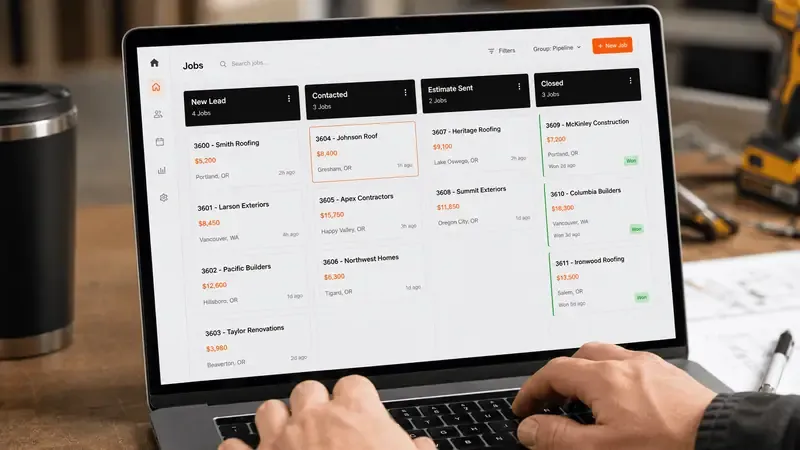
The majority of trade contractors who "use a CRM" are using it as a contact database. Leads go in, some get called, some don't, and there's no systematic visibility into where deals are stalling, what the pipeline is worth, or what actions are needed to close more of what's already in the funnel.
This is almost never a software problem. It's a configuration problem. The same CRM that a poorly-run company uses as a glorified spreadsheet is the same one a high-performing company uses to manage $5M/year in pipeline with two salespeople. The difference is how it's set up.
Why Contractor CRM Implementations Fail
Three common failure modes:
1. Generic Pipeline Stages
Most CRMs come with default stages like "Prospect → Qualified → Proposal → Close." For a B2B SaaS company, this makes sense. For a roofing contractor, it maps to nothing real. Your actual stages are more like: New Lead → Contacted → Estimate Booked → Estimate Completed → Quote Sent → Follow-Up → Signed → Scheduled → Completed → Review Requested.
When the pipeline stages don't match your actual process, people stop using it. The CRM becomes something the admin updates occasionally and nobody else looks at.
2. No Integration With Lead Sources
When a lead comes in from a Facebook ad, it should automatically appear in the CRM with the source tagged, the ad campaign identified, and the first-touch timestamp recorded. When the same lead gets called back 4 hours later (instead of 4 minutes) — a speed-to-lead problem covered separately — the CRM should show that the response was slow.
Without ad platform integration, a CRM can't tell you which campaigns generate the leads that actually close — which is the only metric that matters for ad budget decisions.
3. Manual Data Entry
If salespeople and estimators have to manually log every call, update every stage, and write every note, they won't do it consistently. The CRM slowly becomes stale, owners stop trusting it, and it reverts to being a background system nobody relies on for decisions.
A properly configured contractor CRM auto-logs calls (via integrated call tracking), auto-advances stages based on actions taken (estimate booked = move to "Estimate Scheduled"), and auto-captures lead data from form submissions and AI receptionist bookings.
The Pipeline Stages That Actually Work for Contractors
Here's a proven pipeline structure for trade contractors, with specific trigger conditions for each stage transition:
| STAGE | TRIGGER TO ENTER | AUTOMATION THAT FIRES |
|---|---|---|
| New Lead | Form submission or inbound call | SMS confirmation + AI call attempt |
| Contacted | First conversation (AI or human) | Add to follow-up sequence |
| Estimate Booked | Appointment confirmed in calendar | Reminder SMS sequence (24h, 2h, 30min) |
| Estimate Completed | Estimator marks visit done | Quote preparation reminder to estimator |
| Quote Sent | Quote delivered to homeowner | Follow-up sequence: 3 days, 7 days, 14 days |
| Decision Pending | No response after 14 days | Re-engagement at 30, 60, 90 days |
| Won | Contract signed | Welcome sequence + scheduling workflow |
| Lost | Homeowner chose competitor | Re-engagement at 90 days (situations change) |
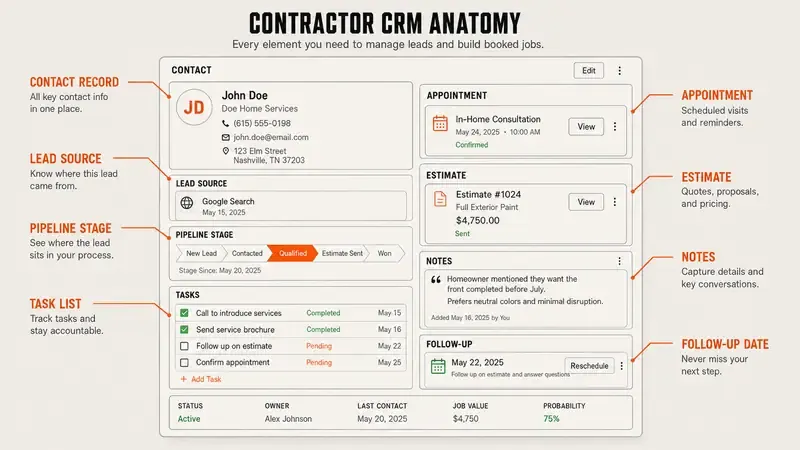
What the CRM Should Tell You at a Glance
A properly configured contractor CRM shows the owner, on any given morning, the answers to these questions without any manual work:
- How many new leads came in this week, and from which sources?
- What is the total pipeline value by stage?
- Which estimates haven't had a quote sent in 48+ hours?
- Which quotes are 14+ days old without a follow-up?
- What's the close rate from estimate to signed contract this month?
- Which lead source has the highest close rate?
- How many leads came from Meta vs. Google vs. organic?
These are revenue-driving questions. A CRM that can't answer them isn't working for your business.
Poxy — Montréal garage-floor specialists known for meticulous prep — ran a single channel before their install. With the full pipeline in place and every lead tracked, their sales cycle dropped from 14–21 days to 3–7 days, and their annual run rate climbed from $1.2M to $8M. The owner's words: "We did more revenue in May than all of last year."
Integration Requirements for a Contractor CRM
A CRM that doesn't connect to your other systems produces siloed data. The integrations that matter for trade contractors:
- Meta and Google Ads: Lead source must auto-populate in the CRM. Closed deals should trigger lookalike audience updates for better targeting.
- AI Receptionist / Call Tracking: All inbound calls auto-logged with recording. AI-booked appointments auto-create estimate records with qualification data.
- Calendar: Estimate appointments sync bidirectionally with estimator calendars. No double-booking, no missed confirmations.
- SMS / Email Automation: Stage changes in the CRM trigger the appropriate automation sequence without manual intervention.
- Reporting Dashboard: Real-time pipeline value, source attribution, and conversion rate visibility for the owner.
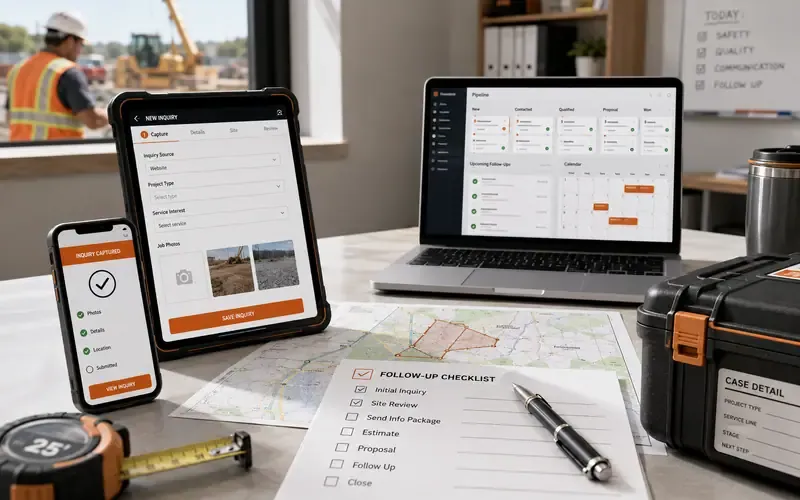
The CRM in the Deals To Grow Stack
In the Deals To Grow infrastructure stack, the KaChing CRM is configured specifically for each trade's sales cycle — different stages, different automation triggers, different qualification criteria for roofing vs. kitchen remodel vs. HVAC. It's integrated with the ad platforms (which populate lead source automatically), the follow-up sequences (which fire based on pipeline stage), and — on the Grow and Scale plans — the AI receptionist, which books directly into the CRM.
The CRM is owned by the operator — in their account, under their login. Not in ours. To see how it fits into the full stack, visit what we do.
Related Articles.
Want this system installed for your trade?
See if your market is still open, then book a 20-30 minute install call. No contracts.